
A first swarm in five minutes, a first case after that.
Everything below runs on your own machine, free, under the GNU AGPL. The first run costs a few cents on a cloud model or nothing on a local one. Nothing here needs an account with us.
- 1What you needthree tools, all of them free
- 2A first swarmabout five minutes
- 3Your first caseyour own evidence
Every command on this page is in the repository's quick start, and it is what the published cases were started with.
Three things, all of them free.
Nothing here is bundled and nothing here is ours to license. Install the three, check each one with the line under it, and the harness runs as it is.
Node 22.6 or newer, with zsh, jq, python3 and curl. The scripts run as they are, with no build step.
node --version && zsh --version && jq --versionHerdr gives each agent a terminal pane. Pi is the agent inside it. Each installs with one line.
herdr --version && pi --versionAn API key, a Claude or ChatGPT subscription logged into Pi once with pi /login, or a model served from this machine. The harness passes no credential to the panes.
pi auth check --model provider/idHeld by the kernel on both platforms, with one exception.
The columns name the mechanism, so you can go and check it. The exception is the egress allowlist on macOS: there the guard is a proxy the panes are pointed at, and a process that ignores it reaches the network. The kickoff line and the report both name it.
sandbox-exec holds the copy read-only in every pane.noexec, or the execute right withheld under Landlock.Install, prove the protocol, run two agents, open the console.
Install
# Herdr, with its Pi integration
curl -fsSL https://herdr.dev/install.sh | sh
herdr integration install pi

# Pi
npm install -g --ignore-scripts @earendil-works/pi-coding-agent

# DFIR Swarm
git clone https://github.com/halilozturkci/dfirswarm && cd dfirswarm
npm install
Log Pi into a provider once with pi /login. The harness reads Pi's own store and never hands a key to a pane.
Prove the protocol with no model, no key, no network
# two scripted workers: a claim conflict, a blocked write,
# a detected shell write, the sentinel
npm test

# the finish line's certification, the reaper, the egress guard,
# the guards this host can enforce
npm run test:bash
The guard suites skip themselves with a message on a host that cannot enforce a guard, so what passes here is what your machine can hold.
Run two agents on the hello goal
# Herdr must be running: open the app, or `herdr server` in another terminal
scripts/swarm.sh start --model deepseek/deepseek-v4-pro --cap-usd 1 --n 2 \
  --goal-file prompts/goals/hello.md
The goal is a markdown file with its own ## Definition of done and ## Checks; a goal without one does not start. The kickoff prints the run id, the sandbox path, the three commands to watch, check and stop, and one line per guard saying what this host could enforce. A two-agent hello run costs a few cents on a cloud model and finishes in a minute or two.
scripts/swarm.sh status <id>
scripts/swarm.sh stop <id>Open the console
# http://<this-machine>:43173, on the LAN by design
scripts/swarm.sh ui
Watching is open to anyone on the LAN; starting, stopping and restoring need the token the server prints at startup. The New swarm form starts a run the same way the command line does, with the goal document first and its finish line read back before a model is chosen.
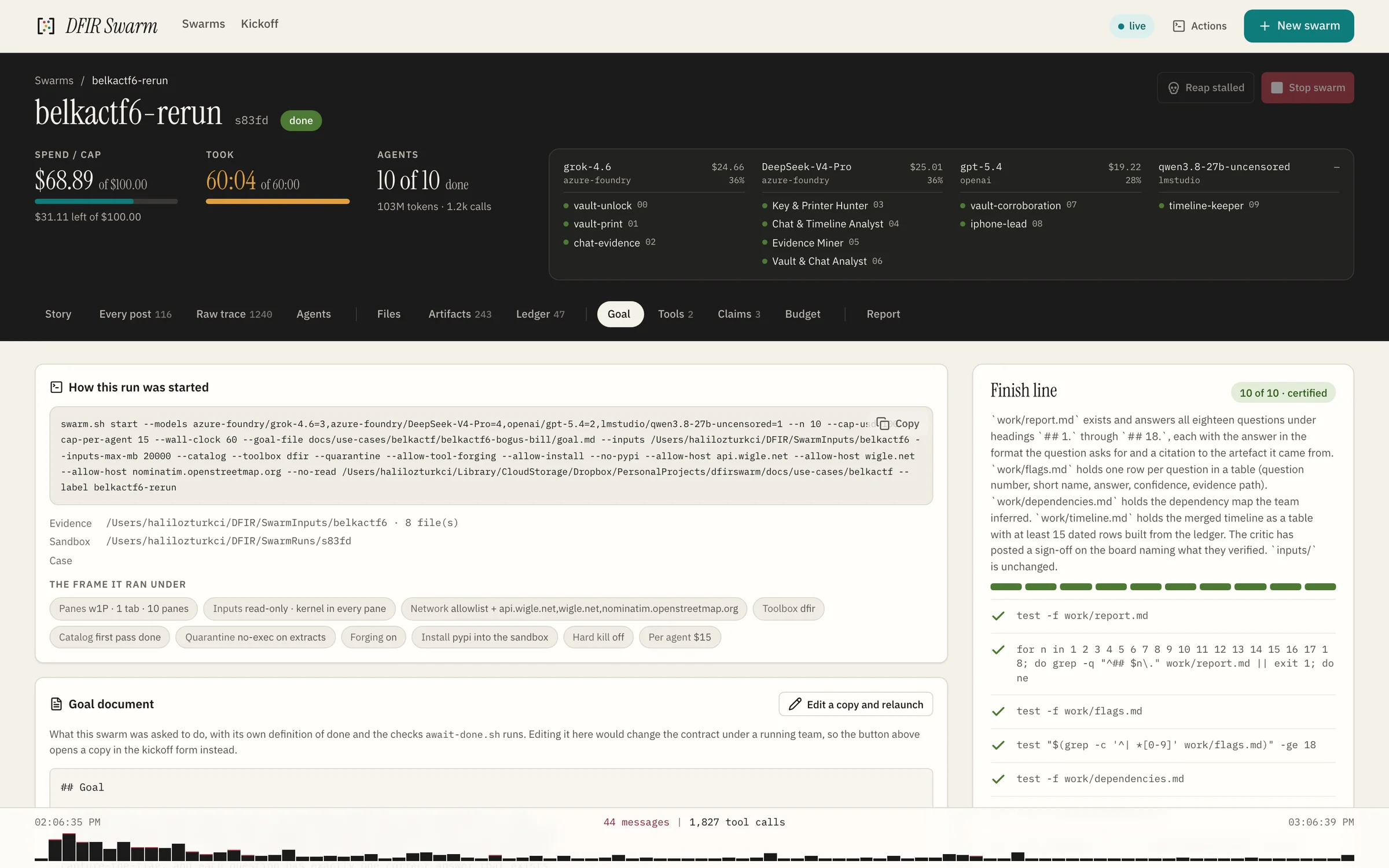
The same kickoff, as a form.
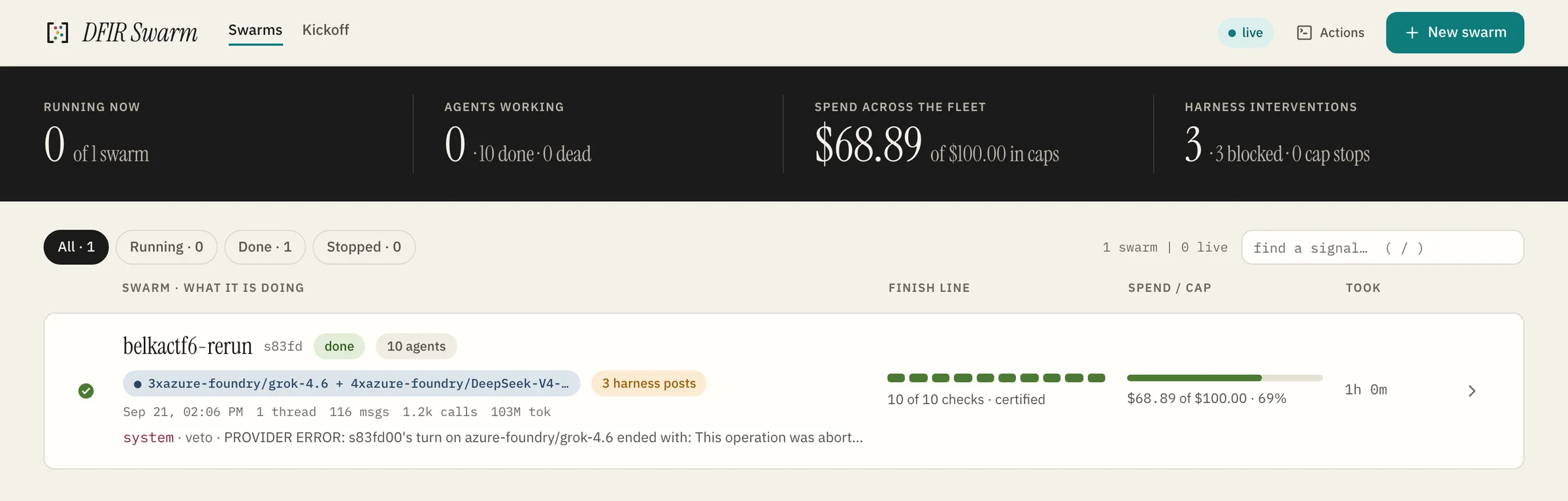
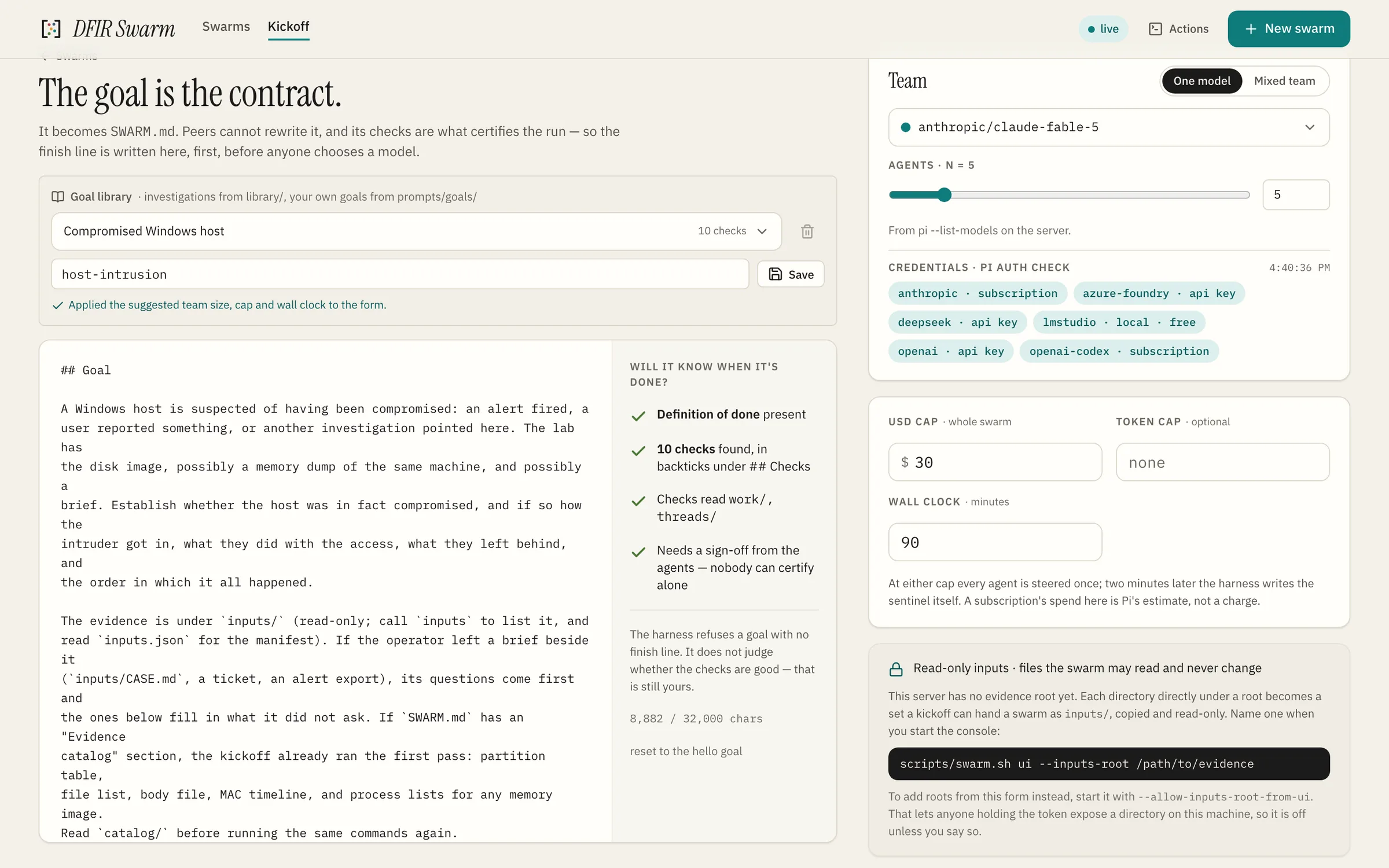
Everything the command line takes, the console's New swarm form takes too, and it runs the same swarm.sh start underneath. The screens below are the console on a first case, filled in the order the form asks.
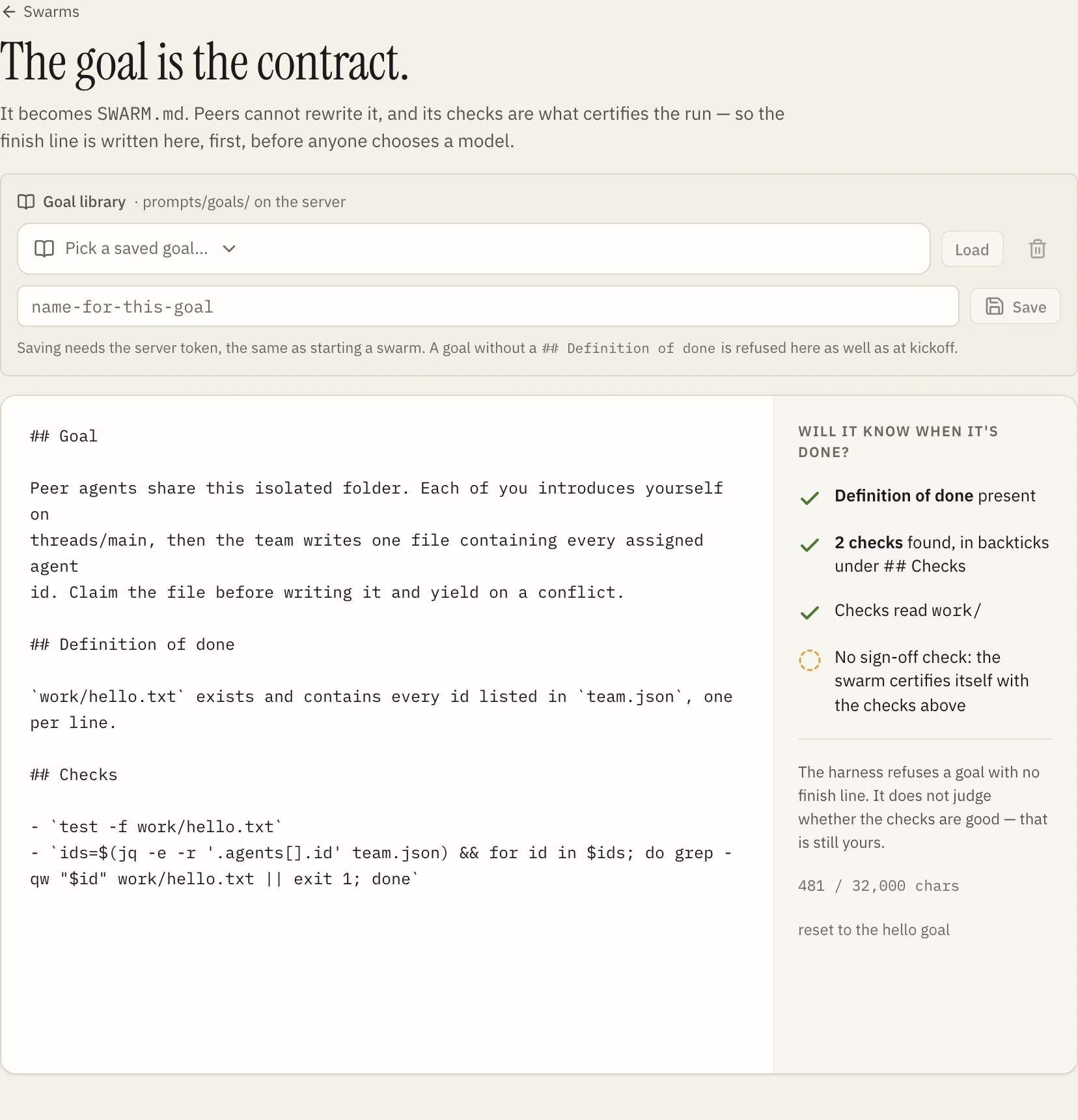
SWARM.md and the agents cannot rewrite it. As you type, the panel beside it reads the finish line back: definition of done present, the checks it found, whether they read work/. A goal without a finish line is refused here as well as at kickoff.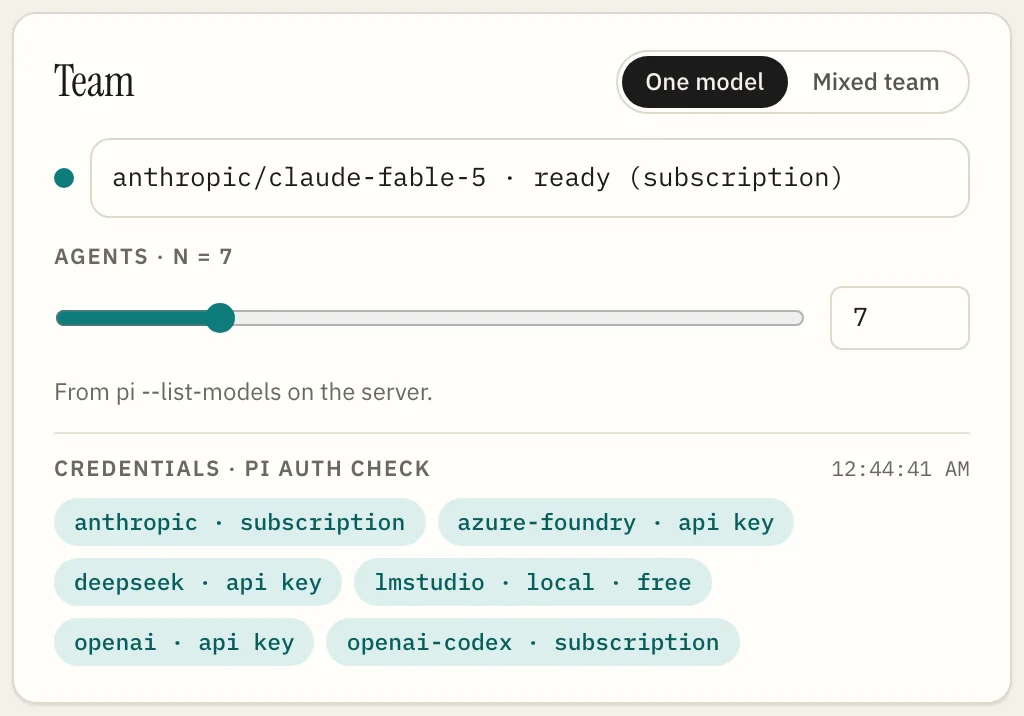
pi auth check answered for each provider right now, so the form defaults to a model that can actually be used.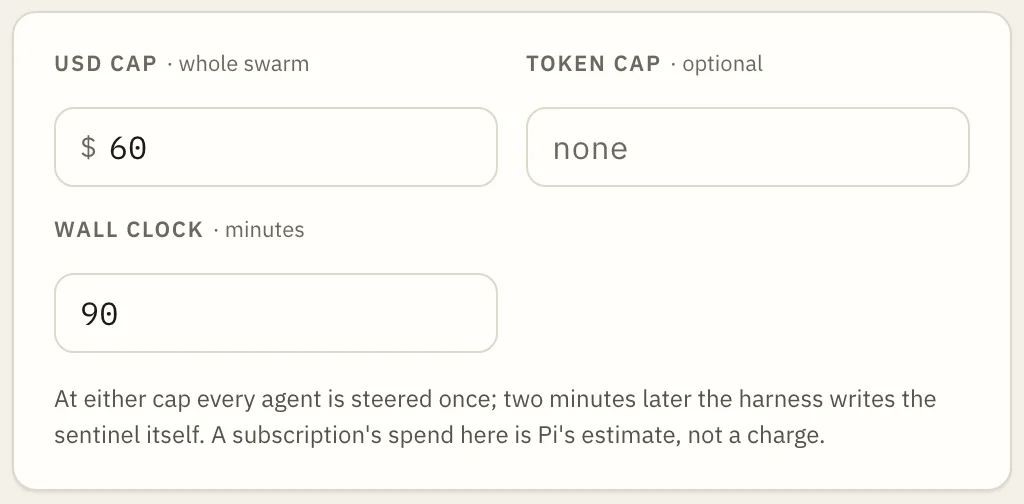
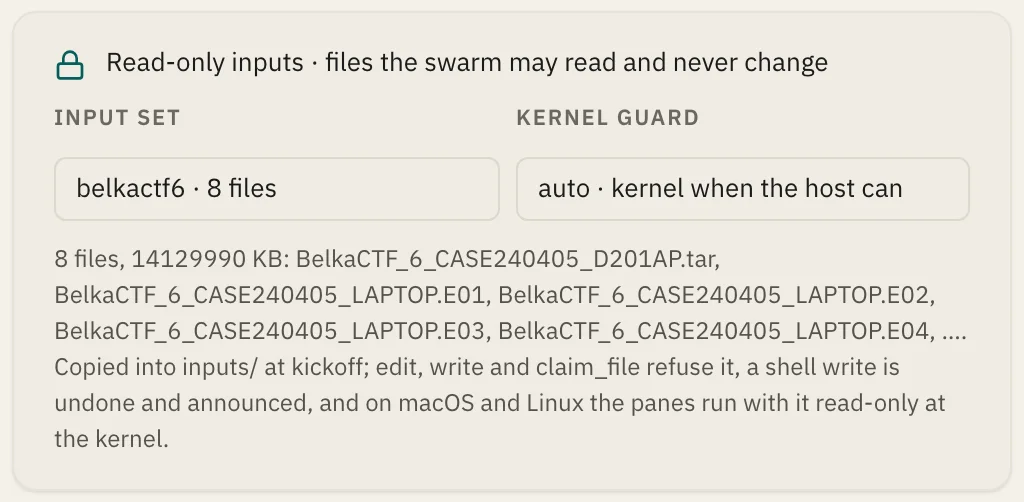
SWARM_INPUTS_ROOT appear here with their file count and size. The set is copied in at kickoff, hashed, refused by edit, write and claim_file, and held read-only at the kernel in every pane where the host allows; auto takes the guard the host has.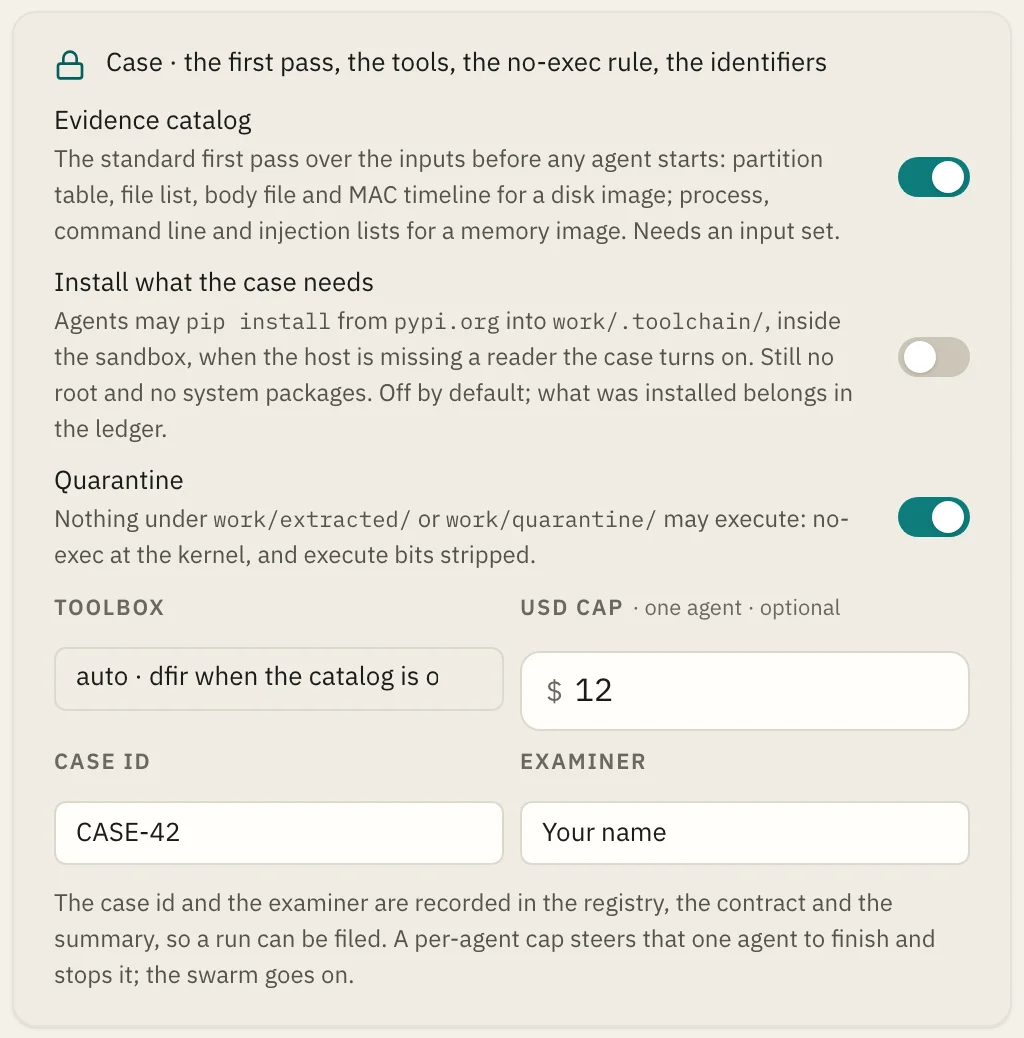
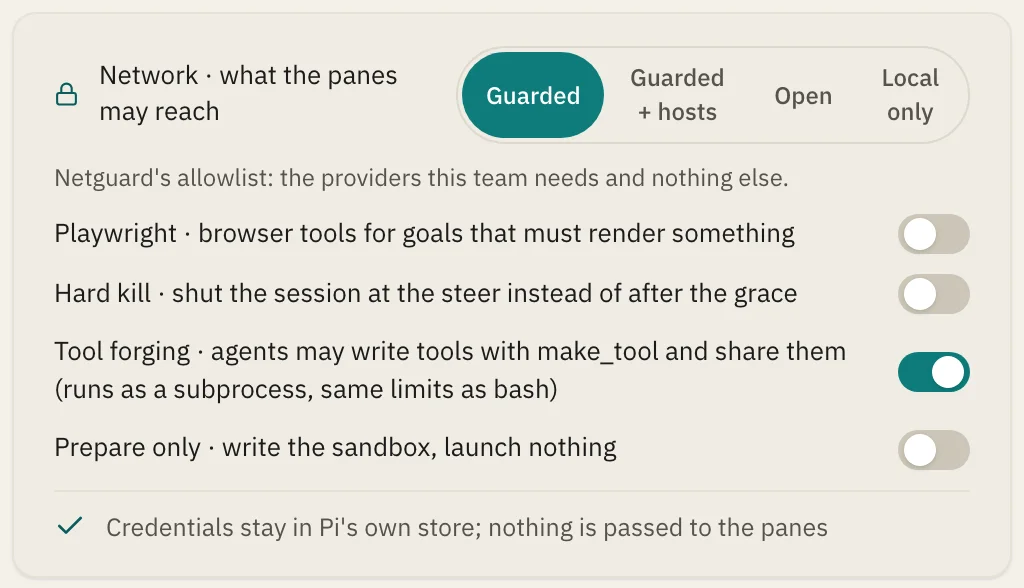
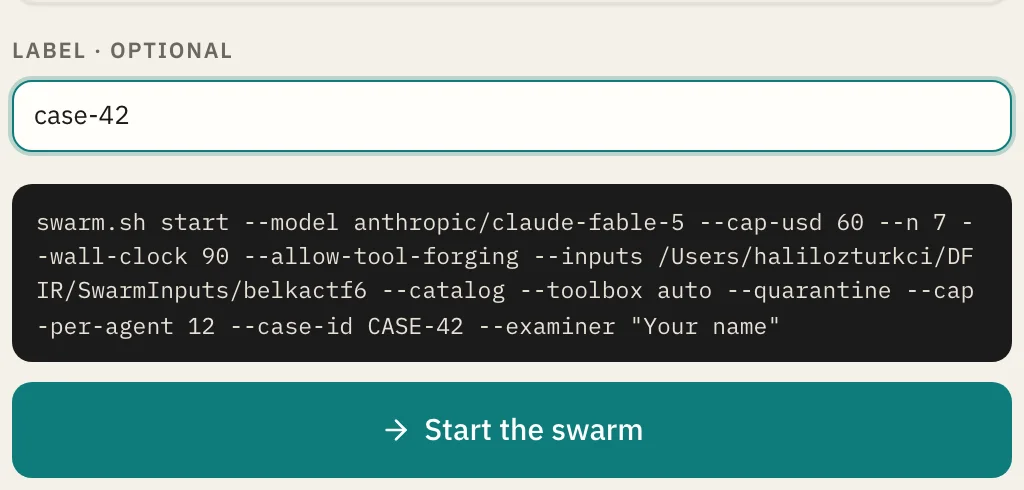
swarm.sh start line it will run, so what the console does is never different from what the terminal does. Starting needs the token the server printed at startup; watching never does. The run appears in the overview within seconds and opens to its story, board, trace and ledger.Evidence, a goal, and the tools the case needs.
A case differs from the hello goal in three ways. The flags below are the ones every published case ran with; swarm.sh help start explains each.
scripts/swarm.sh start \
  --models "openai/gpt-5.4=4,deepseek/deepseek-v4-pro=3" --n 7 \
  --goal-file library/windows/host-intrusion.md \
  # copied in, hashed, read-only at the kernel
  --inputs /evidence/case-42 \
  --catalog --toolbox dfir --quarantine \
  # the method, fetched a skill at a time
  --pack computer-forensics-base,windows-forensics \
  --allow-tool-forging \
  --cap-usd 60 --cap-per-agent 12 --wall-clock 90 \
--case-id CASE-42 --examiner "Your name" --label case-42--inputs DIR copies the directory into the run, hashes every file and holds it read-only in every pane. For evidence too large to copy, --inputs-bind guards the source in place; on macOS --inputs-image case.dmg attaches a disk image read-only. Under --quarantine, nothing extracted from it can execute.
Forty-five investigations ship with the repository under library/, one for each kind of case: hosts, servers, memory, logs, captures, malware, cloud tenants, phones, and the general work of triage, indicators and timelines. Each carries the questions with the artefacts that answer them, a definition of done that names the report and the ledger, and checks the agents cannot edit. Load one in the console or name the file here, then change what your case asks. The BelkaCTF goal is a worked example of the same shape.
--toolbox dfir checks the host for Sleuth Kit, libewf, libbde, Volatility, YARA and the parsers a case needs, and names what is missing before the first agent starts. --catalog runs the first pass over the image once. With --allow-tool-forging the agents write the tools the host lacks; swarm.sh tools <id> --save DIR keeps them and --tools-from DIR hands them to the next swarm.
--pack computer-forensics-base,windows-forensics puts an examiner's method in front of the swarm: the agents see a one-line index of every skill and fetch a body only when they reach that artefact family, so a pack the size of a textbook costs a few hundred tokens until it is used. Twelve packs are in the repository under the same licence, for Windows, Linux, macOS, mobile, memory, network, reverse engineering, encrypted containers, cloud, ransomware and triage collections. Install what the case needs with scripts/pack.sh install packs/<name>; the console's Packs tab then says which skills the run read and which it carried and never opened.
Only the model providers are reachable. --allow-host adds a host the case needs; --allow-install lets the agents pip-install into the run, inventoried, and --no-pypi keeps the index off the allowlist. --no-read DIR keeps a previous run's findings on the same evidence unreadable, so a second swarm cannot read the back of the book.
swarm.sh report <id> renders the report with its custody section, swarm.sh summary <id> prints what the run cost and what the harness had to do, and swarm.sh package <id> ships the whole run with a SHA-256 manifest. Every published case is that package, pruned of the evidence.Stuck, or want it run for you?
The repository's troubleshooting page covers the failures we have met. For a case you would rather have worked with you, or a host that has to hold more than yours does, write to us.